CableEye Twisted Pair Testing – NEW FEATURE

CableEye Twisted Pair Testing – NEW FEATURE

You asked for Twisted Pair Testing, and CAMI Research delivered!

Now available on the ever-popular CableEye range of cable testers are two new features:

  • Capacitance measurement
  • Twisted pair testing and verification
  • Twisted pair ethernet cables

Combining these two features also gives a distance-to-fault testing capability, which means that incoming inspection can test new reels of cable prior to accepting for production.

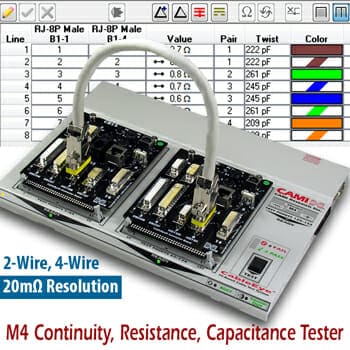
Available immediately, the new CableEye M4 tester is the same, compact and rugged format as the M2 and M3 systems and utilises the same software, though extended for the new twisted pair testing and capacitance testing capabilities.

The initial application is to detect the infamous ‘Ethernet’ cable issue of incorrectly paired cores (eg CAT5/CAT6 cables).

During a single test phase the CableEye M4 will:

  • check continuity for shorts and opens
  • check resistance (the 4-wire option will increase precision when needed)
  • check for diodes (presence, polarity, and forward voltage drop)
  • check capacitance
  • check for miswired pairs using a new technique across multiple pairs
  • report Pass/Fail
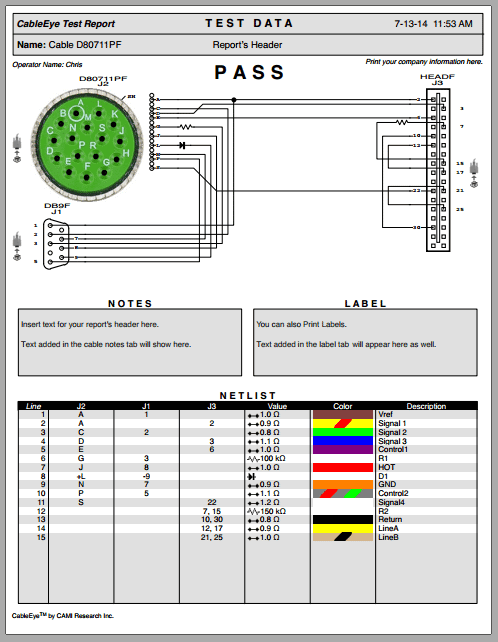
  • display results in wiring diagram or table format
  • log the result – even to a network drive
  • print a detailed report on any windows printer – even networked
  • print a label on local or network label printers

And all of this happens within a matter of seconds, using a single button-press from a low-skilled operator!

For more details on all of the CableEye products from CAMI Research take a look at our dedicated section here

twisted pair testing

Cimbian UK will be demonstrating a brand new M4 on Stand A52 at the WNIE show (NEC 25th and 26th September), and will also be available for technical discussions, and to help you get the best from your Cable and Cable Harness Testing.

If you found this page interesting please share it with your friends and colleagues.

How to make easy CableEye backups

How to make easy CableEye backups

Easy CableEye backups

Working with any programmable equipment really needs a way of keeping data secure. This page will show you how to make easy CableEye backups for your CableEye M2/M3/HVX tester from CAMI Research.

CableEye includes a built-in Backup and Restore function that has a number of uses:

  1. to make secure regular backups to avoid data loss
  2. to make a secure backup prior to upgrading any software
  3. to copy the correct folder structure between computers
  4. to send essential data to us for support

In the following video we are creating a data file for backups, but the process is the same for support requests or transferring data to another machine.

Of course, as CableEye is a PC based system, it is just as easy for you to send your backups to a network drive that is also included in your Company’s IT backup process, thereby creating another layer of security for your investment.

How frequently you make backups depends on how often you make changes in your software; however, as the process is so simple you should look to do this at least once per week. Perhaps at the close of business on Friday; however, our recommendation is daily.

Making life easy for our customers is a cornerstone of what we do at Cimbian UK.

For more information on CableEye or on how we can provide you with support just drop us a line by returning the form below:

If you found this page interesting please share it with your friends and colleagues.
Motorsport harnesses

Motorsport harnesses

Motorsport harnesses live in a hostile world… CableEye makes sure they are ready.

If you stop to think for a moment of the environment that motorsport harnesses have to operate in, it’s a pretty mean place.

  • Chemical contamination
  • Extremes of temperature
  • Vibration
  • Electrical noise

Cimbian UK, working as exclusive distributor for CableEye from CAMI Research, has many years of helping people to both improve their processes and, up-rate their testing to ensure that cable-harnesses leave the assembly department ready for reliable, long-life operation.

CableEye provides two real options for testing motorsport cable-harnesses:

  1. A low-voltage system (M3U) for testing continuity between programmable thresholds as well as measuring resistance and testing diodes.
  2. A high-voltage (HiPot) system (HVX) which does everything the M3U does but also provides a parametric test at high-voltage to test for insulation breakdown and/or whiskers.

The unique measurement algorithms used in CableEye ensure that every point is tested against every other point at high speed, and is tested using a bi-polar method to ensure that the continuity is good in both directions.

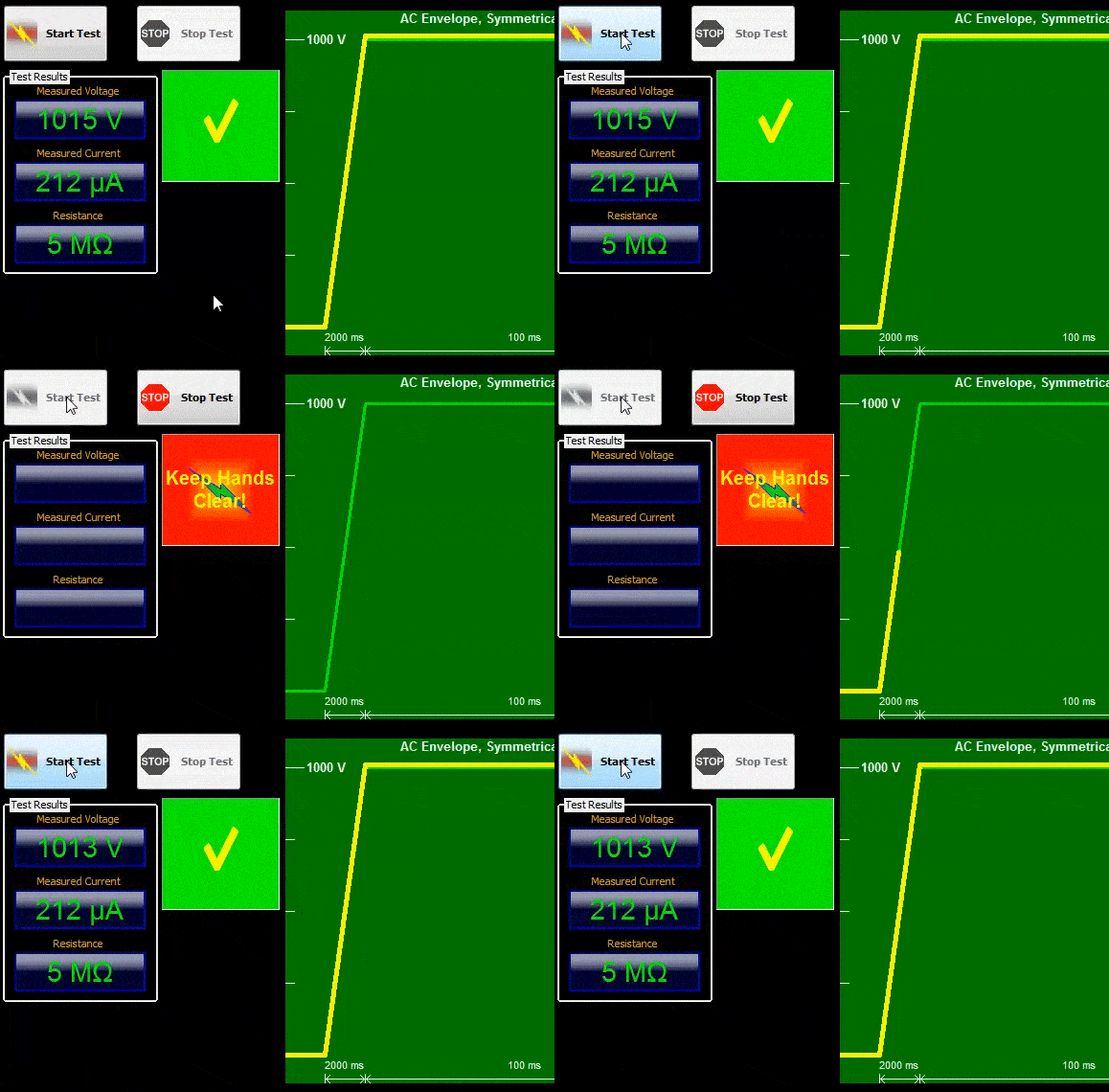
After a cable-harness has passed its low-voltage test it will then switch, automatically, into the HiPot mode. Here the assembly undergoes several different stages of test including dcV and acV, both with a programmable ramp-up and ramp-down rates to prevent damage to the insulation that may lead to early life failures (vehicle breakdown).


motorsport harnesses - programmable ramp-up

Both the CableEye M3U and the CableEye HVX use the same software, which includes serial number entry by barcode (a single barcode can contain Serial number, batch, operator ID, part-code and more), data logging, and reporting.


Testing motorsport harnesses in the real-world:

Colin Harmer, owner of Creative Motorsport Solutions and user of a 256 pin HVX HiPot tester, seen below, said:

In this test, the customer had an issue that pointed at the corner looms being “suspect”. These were not looms we built but because the CableEye tester is so flexible we could quickly reverse engineer the loom, check it against the supplied drawings, and perform a Hi-Pot test in very little time. In general, motorsport-type builds are typically low volume which puts a premium on flexibility with fixtures and ease of use, which is a true delineator of the CAMI testers. We are now able to easily Hi-Pot test every product we produce which ensures that the client receives a goods that are exactly to specification. By keeping records of all the tests, we can easily retest at a future point to ensure that there’s been no change in the loom.

motorsport harnesses - test result

There are no “off the shelf” (interface fixture) solutions for motorsport connectors, so these have to be made.” “Each board is a breakout of 64 test points. Boards are modular so you can mix and match to fit the loom you’re testing.

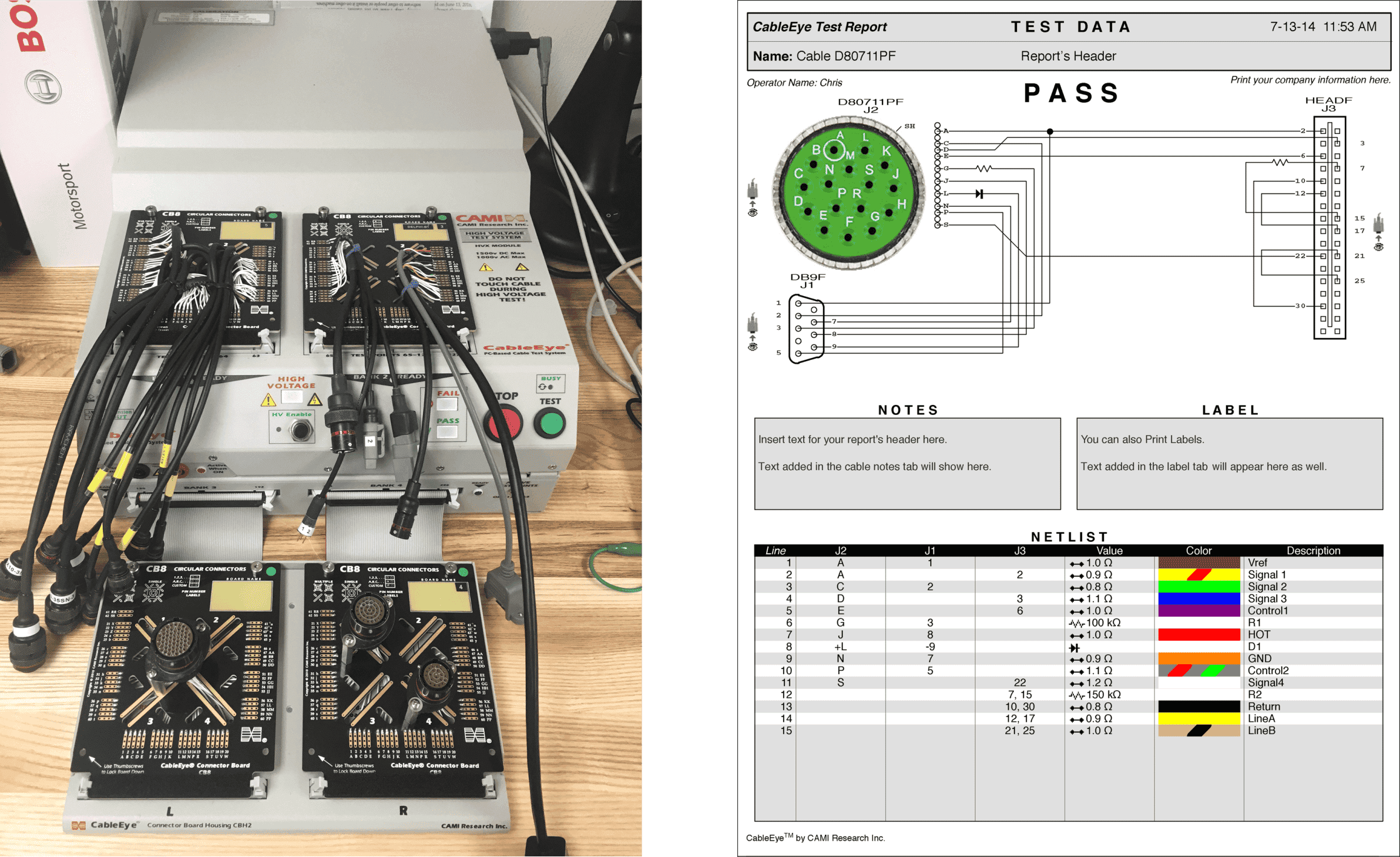
motorsport harnesses - test station and report

Image (Courtesy Of Creative Motorsport Solutions) Of  A 256 Test Point Continuity &Amp; Hipot Harness Tester With Interface Fixtures Comprising A 128 Test Point Base Unit ,With One Expansion Module. The Tester Is Further Expandable To 1024 Test Points.

For more information on how a CableEye cable test system can help you in testing your motorsport harnesses simply fill in the form below and drop us a line.

If you found this page interesting please share it with your friends and colleagues.
PinMap puts meaning into your cable test results

PinMap puts meaning into your cable test results

Using CableEye PinMap makes test results relevant.

A cable tester typically has a bank of interface pins that may be labelled 1 to xxxx or A:1 – D:64 etc which is great if you are only testing those cables that have the same reference. But, if your cables have any other form of pin reference your operator is left with no alternative but to use a lookup table; a slow and error-prone method, even on a good day. Enter PinMap!

With CableEye things are very different.

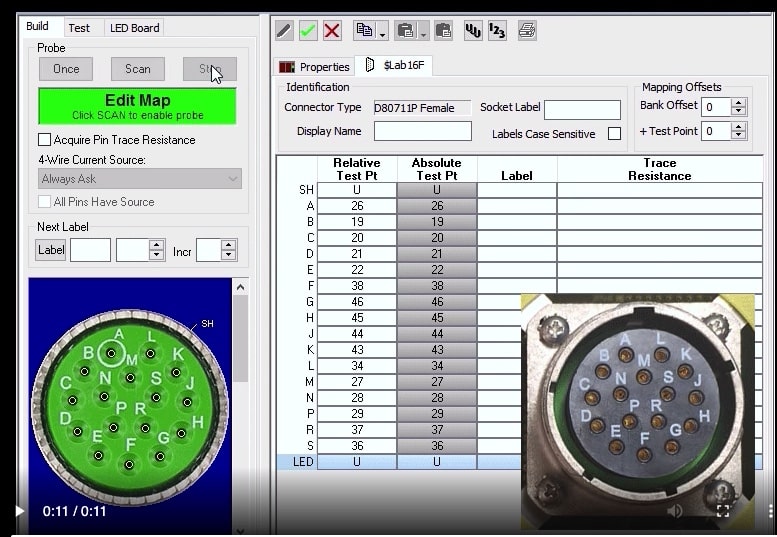
Through our Connector Editor, you can easily create complex, custom connectors from photographs, scans, PDFs, or even draw something yourself. Once done you then switch to PinMap.

PinMap is a fast and simple way of creating an internal lookup table that ‘Maps’ the logical pin names of your connector (ie J1:A, J1:B etc.) to the physical pins of the tester (1,2,3, etc.). This lookup reference table, or ‘PinMap’, is then used in all reporting, be it on-screen or printed.

Finally, your test results actually relate directly to your connectors on your cable or harness assembly.

CableEye’s PinMap, from CAMI Research, enables you to enter data directly into the connector pin-table or by very simply ‘scanning’ the pins into place, as this video demonstrates.

It is really this simple and this quick!

We have customers with hundreds of custom connectors, all mapped and made relevant to their operators, and customers, in this way.

For more information or the loan of a demo system, get in contact with us.

If you found this page interesting please share it with your friends and colleagues.

Generate test reports quickly and easily with CableEye

Generate test reports quickly and easily with CableEye

[boomdevs_toc]

In these days of traceability the ability to generate test reports is essential, but how easy can it be?

With a manual test using a buzzer, bulb or semaphore, generating test reports is also manual, generally involving a clipboard and a pen. Manual tests are normally restricted to ‘GO NOGO’ testing only unless a fault is suspected. What this means is that a positive connection from end-to-end marks a pass; however, it does not test for stray connections on other pins/cores in the cable. So an open circuit is a NOGO, and a short circuit is a GO. The potential, here, for allowing ‘False Accepts’ is huge.

Wiring mistakes, tin whiskers, faulty materials can all lead to shorts within the cable and are unlikely to be found. Overall, Manual testing is far from desirable, particularly if having to test AND generate test reports at the same time.

So, we come to ‘system’ testing of cables. Again, there are some products that will test GO NOGO on individual cores, albeit simultaneously. Aside from speed this kind of tester is no better than manual testing and is best avoided. The report may be generated by a simple ticket printer or the ubiquitous clipboard and pen.

Let’s now get a computer involved.

A computer will switch test points much faster and much more reliably than manual testing and can, therefore, test for connections that should NOT be present. Really good computer-based cable testers will also learn the connections (and resistances) from a known-good cable so there is no real programming involved.

Obviously, once we involve a computer we can generate test reports… or can we?

With an embedded computer this can often be a time-consuming task, particularly if it uses an operating system where printer drivers are not readily available.

Enter CableEye, from CAMI Research!

CableEye is Windows PC based where the ever-increasing power and speed of PCs can, and does, positively affect the overall performance of a test station. CableEye will generate test reports and print to just about any printer that has a Windows driver and will print to label printers for labels or A4 printers for generating test reports.

This video will demonstrate the ease and speed of loading a cable, testing a cable, getting the result and generating test reports:

animated gif showing how to generate test reports

Now THAT is cable testing…

For more information or the loan of a demo system, get in contact with us.

If you found this page interesting please share it with your friends and colleagues.